


Spec sheet · Black Box
Black Box Net-Ping TS670A Spec Sheet
Spec sheet2 pagesPDF 192 KB
Both pages are below, each with its text.
Covers · 1 model
The models it covers

From the sheet · read page by page
Key facts from this sheet
Each line names its page in the PDF.
Two-page spec sheet, dated 07/06/2010, for the Black Box Net-Ping Network IP Tester, code TS670A-R2, a handheld tester that sends and answers PINGs on 10/100BASE-T Ethernet. It describes the tests, DHCP client mode, wiring checks and port identifier, and lists the technical specifications and what comes in the box.
- What it is
- Handheld network IP tester that PINGs other IP addresses and answers PINGs to its own address p. 2
- Interface
- 10BASE-T/100BASE-T, 10-/100-Mbps autonegotiating; verifies 1000BASE-TX connection only p. 2
- Connector
- One RJ-45, a combined port for LAN or NIC connection p. 2
- Power
- Four AA batteries (more than five hours typical) or the included AC adapter; auto power-down p. 2
- Display
- Graphical LCD, 122 x 32 pixels p. 2
- DHCP client mode
- Finds the DHCP server and shows the assigned IP address, gateway IP address and subnet mask p. 2
- PING options
- Continuous or up to 99 times, a range of addresses, six packet lengths from 50 to 1400 bytes p. 2
- Stored locations
- Source and destination IP, gateway and subnet mask for eight locations p. 2
- Wiring checks
- Incorrect wire-pair connections, reversed polarity, and a port identifier with selectable blink rates p. 2
- Setup
- On its keypad or through a Web browser (Internet Explorer 6.0 or Netscape 6.0 or later) p. 2
- Size
- 7"H x 3.2"W x 1.5"D (17.8 x 8.1 x 3.8 cm) p. 2
- Weight
- 0.6 lb. (0.3 kg) p. 2
- Operating temperature
- 32 to 122º F (0 to 50º C) p. 2
- Order code and contents
- TS670A-R2; tester, four AA alkaline batteries, AC adapter and user's guide p. 2
What this sheet walks you through
- Testing link connectivity across a LAN or WAN by sending and answering PINGs p. 2
- Checking that a DHCP server is available and what address it assigns p. 2
- Finding which hub or switch port a wall jack is connected to p. 2
- Testing a remote office by PINGing the unit over the Internet or an intranet p. 2
- Updating the tester's firmware p. 2
Good to know
- On 1000-Mbps links the tester only verifies the connection; it cannot send or receive a PING. p. 2
- The unit shuts itself down after a preset time to save the batteries. p. 2
Questions this sheet answers
Can the Net-Ping TS670A test gigabit Ethernet?
It detects a 1000BASE-TX connection but cannot PING over a 1000-Mbps link; PING tests run at 10 or 100 Mbps. p. 2
What batteries does the Net-Ping tester use?
Four AA batteries, typically more than five hours; it can also run from the included AC adapter. p. 2
Can the Net-Ping find which switch port a wall jack goes to?
Yes. Its port identifier, with selectable blink rates, shows which hub or switch port is connected to a wall jack. p. 2
What is the order code of the Black Box Net-Ping tester?
TS670A-R2. p. 2
The file
Size and text
Every page · 2
Read it here
Each page as it is printed, and its words beside it, so a phone can search and copy them.
Page1of 2
Open in the PDF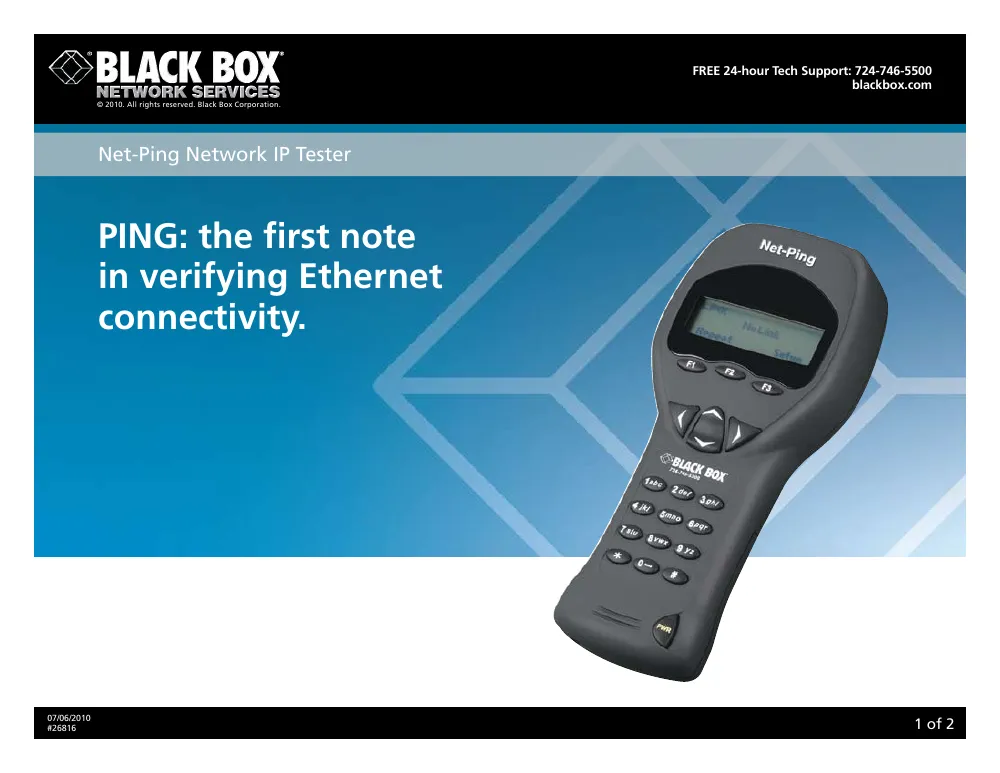
The text of page 1, from the PDF itself
FrEE 24-hour tech support: 724-746-5500 blackbox.com © 2010. All rights reserved. Black Box Corporation.
Net-Ping Network IP Tester
PING: the first note in verifying Ethernet connectivity.
07/06/2010 #26816
1 of 2
Page2of 2
Open in the PDF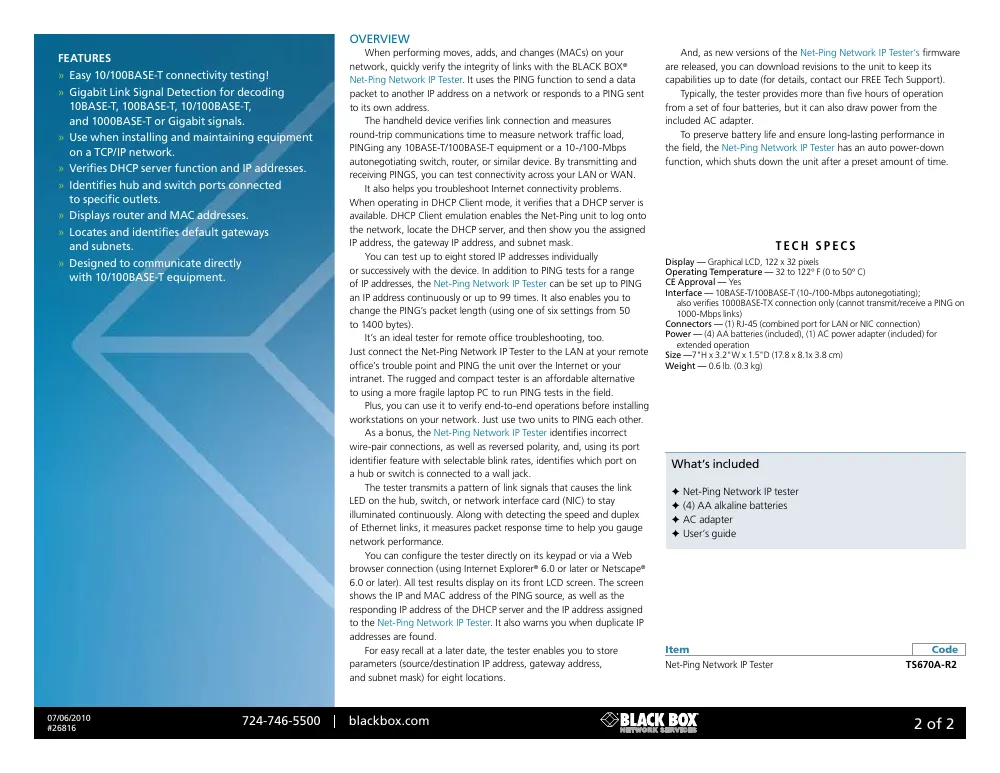
The text of page 2, from the PDF itself
OVERVIEW Features » Easy 10/100BASE-T connectivity testing! » Gigabit Link Signal Detection for decoding 10BASE-T, 100BASE-T, 10/100BASE-T, and 1000BASE-T or Gigabit signals. » Use when installing and maintaining equipment on a TCP/IP network. » Verifies DHCP server function and IP addresses. » Identifies hub and switch ports connected to specific outlets. » Displays router and MAC addresses. » Locates and identifies default gateways and subnets. » Designed to communicate directly with 10/100BASE-T equipment.
07/06/2010 #26816
724-746-5500
When performing moves, adds, and changes (MACs) on your network, quickly verify the integrity of links with the BLACK BOX ® Net-Ping Network IP Tester. It uses the PING function to send a data packet to another IP address on a network or responds to a PING sent to its own address. The handheld device verifies link connection and measures round-trip communications time to measure network traffic load, PINGing any 10BASE-T/100BASE-T equipment or a 10-/100-Mbps autonegotiating switch, router, or similar device. By transmitting and receiving PINGS, you can test connectivity across your LAN or WAN. It also helps you troubleshoot Internet connectivity problems. When operating in DHCP Client mode, it verifies that a DHCP server is available. DHCP Client emulation enables the Net-Ping unit to log onto the network, locate the DHCP server, and then show you the assigned IP address, the gateway IP address, and subnet mask. You can test up to eight stored IP addresses individually or successively with the device. In addition to PING tests for a range of IP addresses, the Net-Ping Network IP Tester can be set up to PING an IP address continuously or up to 99 times. It also enables you to change the PING’s packet length (using one of six settings from 50 to 1400 bytes). It’s an ideal tester for remote office troubleshooting, too. Just connect the Net-Ping Network IP Tester to the LAN at your remote office’s trouble point and PING the unit over the Internet or your intranet. The rugged and compact tester is an affordable alternative to using a more fragile laptop PC to run PING tests in the field. Plus, you can use it to verify end-to-end operations before installing workstations on your network. Just use two units to PING each other. As a bonus, the Net-Ping Network IP Tester identifies incorrect wire-pair connections, as well as reversed polarity, and, using its port identifier feature with selectable blink rates, identifies which port on a hub or switch is connected to a wall jack. The tester transmits a pattern of link signals that causes the link LED on the hub, switch, or network interface card (NIC) to stay illuminated continuously. Along with detecting the speed and duplex of Ethernet links, it measures packet response time to help you gauge network performance. You can configure the tester directly on its keypad or via a Web browser connection (using Internet Explorer® 6.0 or later or Netscape® 6.0 or later). All test results display on its front LCD screen. The screen shows the IP and MAC address of the PING source, as well as the responding IP address of the DHCP server and the IP address assigned to the Net-Ping Network IP Tester. It also warns you when duplicate IP addresses are found. For easy recall at a later date, the tester enables you to store parameters (source/destination IP address, gateway address, and subnet mask) for eight locations.
And, as new versions of the Net-Ping Network IP Tester‘s firmware are released, you can download revisions to the unit to keep its capabilities up to date (for details, contact our FREE Tech Support). Typically, the tester provides more than five hours of operation from a set of four batteries, but it can also draw power from the included AC adapter. To preserve battery life and ensure long-lasting performance in the field, the Net-Ping Network IP Tester has an auto power-down function, which shuts down the unit after a preset amount of time.
Tech SPecs Display, Graphical LCD, 122 x 32 pixels Operating Temperature, 32 to 122º F (0 to 50º C) CE Approval, Yes Interface, 10BASE-T/100BASE-T (10-/100-Mbps autonegotiating); also verifies 1000BASE-TX connection only (cannot transmit/receive a PING on 1000-Mbps links) Connectors, (1) RJ-45 (combined port for LAN or NIC connection) Power, (4) AA batteries (included), (1) AC power adapter (included) for extended operation Size, 7"H x 3.2"W x 1.5"D (17.8 x 8.1x 3.8 cm) Weight, 0.6 lb. (0.3 kg)
What’s included ✦ Net-Ping Network IP tester ✦ (4) AA alkaline batteries ✦ AC adapter ✦ User’s guide
Item Net-Ping Network IP Tester
Code TS670A-R2blackbox.com2 of 2BLACK BOX®