Manual · Axiohm
A795 Two-Color Thermal Receipt Printer User Guide: Programming Supplement
Manual136 pagesPDF 980 KB
Programming supplement for the A795 two-color thermal receipt printer: diagnostics, configuration and the full printer command set.
Covers · 1 model
The models it covers
Summary
What is in it
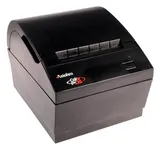
A programming supplement to the A795 ColorPOS two-color thermal receipt printer user guide, written for users who want to customize or adjust how the printer works. It explains start-up, runtime and remote diagnostics, the LED and tone indicators, and the configuration menu (RS-232C settings, emulations, hardware options). The rest documents the printer commands by function: printer actions, paper feed, positioning, text, graphics and logos, status, bar codes, page mode, macros, user data storage and flash download.
Its parts
- About this Supplement
- Diagnostics and Configuration
- Programming the Printer
- Programming Commands
From the manual
Key facts from this manual
Some pages are scans or cannot be read; this says only what the readable text supports. Each line names its page in the PDF.
Programming supplement (A795-D100 PS Revision E, May 2005) to the user guide of the TPG A795 ColorPOS two-color thermal receipt printer. It explains the start-up and runtime diagnostics, the configuration menu printed on the receipt, interface, emulation and hardware settings, and the command set for text, graphics, bar codes and two-color printing.
- Device
- Two-color (ColorPOS) thermal receipt printer p. 1, 9
- Interfaces
- RS-232C serial (9-pin or 25-pin) and USB p. 15
- USB selection
- USB is used automatically when there is no RS-232C activity p. 17
- Serial settings
- 1200 to 115200 baud; hardware (DTR/DSR) or software (XON/XOFF) flow control; data bits, stop bits and parity fixed p. 17
- Emulations
- A795 native mode, A794 emulation, A793 emulation, LEGACY emulation p. 19
- Print resolution
- 8 dots/mm; 576 addressable dots (72 mm) centered on 80 mm paper p. 26
- Paper width
- 58mm, 80mm or 82.5mm, set in the menu p. 21
- Characters per line
- 44 standard (13 x 24 dot cells) or 56 compressed (10 x 24 dot cells) on 80 mm paper p. 26
- Paper types
- 0 = monochrome Kanzaki P310; 1 = two-color P310RB; 4 = two-color P320BB; 5 = two-color P320RB p. 21
- Power supply setting
- 55-watt (standard) or 75-watt power supply p. 21
- Line spacing
- Default of 8.13, 7.52, 6.77 or 6.00 lines per inch p. 20
- Start-up error codes
- 1 beep and flash: boot CRC; 2: SRAM; 3: EEPROM; 4: dynamic memory initialization failure p. 14
- LED fast flash
- Paper out, cover off or knife unable to home p. 14
- Bar codes
- Bar code commands including PDF 417, with HRI characters p. 34
What this manual walks you through
- Entering the configuration menu with the DIP switches and paper feed button p. 16
- Choosing the communication interface and RS-232C settings p. 17
- Running data scope mode to troubleshoot communication p. 18
- Running the receipt test p. 19
- Setting the printer emulation p. 19
- Setting paper type, print density, power supply, knife and paper width p. 21
- Reading the diagnostics form and its tallies p. 12, 13
- Reading the LED and beep indicators p. 14
- Command differences when emulating the A793 and A794 p. 23, 24
- Two-color ColorPOS and LogoEZ commands p. 24, 25
Good to know
- The A793, A794 and Application Compatible Escape Command emulations do not recognize the ColorPOS commands. p. 19
- Running the printhead at a higher energy (density) level shortens printhead life. p. 21
- The printhead setting must match the energy rating marked on the thermal mechanism. p. 21
- On paper out, cover open, knife unable to home, printhead too hot or bad voltages, the printer stops motors and printing. p. 12
- Data bits, stop bits and parity of the serial port cannot be changed. p. 17
Questions this manual answers
How do I enter the A795 configuration menu?
With paper loaded, set DIP switch 1 on (down), then cycle DIP switch 2 down and up, or hold the paper feed button while closing the receipt cover. The printer prints the diagnostics form and the main menu. p. 16
What paper widths does the A795 printer take?
It can be set for 58mm, 80mm or 82.5mm paper. p. 21
What do the A795 beep codes mean at power-up?
One beep and LED flash means a boot CRC failure, two an SRAM failure, three an EEPROM failure and four a dynamic memory initialization failure. p. 14
Which printers can the A795 emulate?
Besides A795 native mode it offers A794, A793 and LEGACY emulation. p. 19
What baud rates does the A795 serial port support?
From 1200 to 115200 baud. p. 17
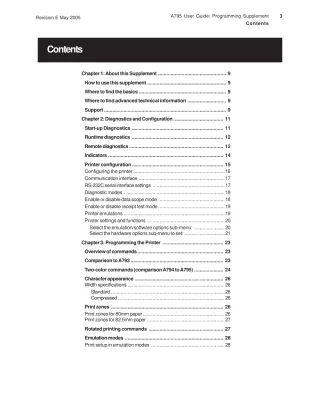
Contents
Chapters and sections
Each line opens the PDF at its page.
- Chapter 1: About this Supplement9
- How to use this supplement9
- Where to find the basics9
- Where to find advanced technical information9
- Support9
- Chapter 2: Diagnostics and Configuration11
- Start-up Diagnostics11
- Runtime diagnostics12
- Remote diagnostics12
- Indicators14
- Printer configuration15
- Configuring the printer16
- Communication interface17
- RS-232C serial interface settings17
- Enable or disable data scope mode18
- Printer emulations19
- Printer settings and functions20
- Chapter 3: Programming the Printer23
- Overview of commands23
- Comparison to A79323
- Two-color commands (comparison A794 to A795)24
- Character appearance25
- Print zones26
- Print zones for 80mm paper26
- Rotated printing commands27
- Emulation modes28
- Print setup in emulation modes28
- Chapter 4: Programming Commands29
- Commands listed by function29
- Printer actions29
- Print and paper feed30
- Vertical and horizontal positioning30
- Text characteristics31
- Graphics32
- Status33
- Batch mode33
- Real time33
- Unsolicited status mode33
- Bar codes34
- Page mode35
164 more lines, from page 35 on
- Macros35
- User data storage36
- Flash download36
- Command conventions37
- Command descriptions38
- Printer actions38
- Clear printer38
- Perform full knife cut38
- Perform partial knife cut39
- Generate tone39
- Select peripheral device (for multi-drop)39
- Initialize printer39
- Select paper sensors to output paper-end signals40
- Select sensors to stop printing40
- Enable or disable panel button41
- Generate pulse to open cash drawer41
- Set current color42
- Select cut mode and cut paper42
- Set paper type (ColorPOS®)43
- Print test form44
- Print and paper feed45
- Print and feed paper one line45
- Print and carriage return45
- Feed n dot rows45
- Feed n print lines45
- Add n extra dot rows46
- Print46
- Print and feed paper47
- Print and feed n lines47
- Vertical and horizontal positioning48
- Horizontal tab48
- Set horizontal and vertical minimum motion units48
- Set column48
- Set absolute starting position49
- Set vertical line spacing to 1/6 inch49
- Set vertical line spacing50
- Set horizontal tab positions50
- Set relative print position51
- Select justification52
- Set left margin52
- Set printing area width53
- Text characteristics commands54
- Select double-wide characters54
- Select single-wide characters54
- Select 90 degree counter-clockwise rotated print54
- Select pitch (column width)55
- Set right-side character spacing55
- Select print mode56
- Select or cancel user-defined character set56
- Define user-defined character set57
- Select or cancel underline mode57
- Copy character set from ROM to RAM58
- Cancel user-defined character58
- Select or cancel emphasized mode58
- Select or cancel double-strike59
- Select or cancel italic print59
- Select international character code60
- Select or cancel 90 degree clockwise rotated print60
- Select international character set61
- Select or cancel upside-down print mode61
- Select character size62
- Select or cancel white/black reverse print mode63
- Text strike-through mode (ColorPOS®)64
- Select superscript or subscript modes64
- Graphics65
- Download BMP logo65
- Select bit image mode66
- Print advanced raster graphics67
- Select single-density graphics67
- Select double-density graphics68
- Select the current logo (ColorPOS®)68
- Define downloaded bit image (ColorPOS®)69
- Print downloaded bit image (ColorPOS®)70
- Print raster monochrome graphics (ColorPOS®)70
- Print raster color graphics (ColorPOS®)71
- Download logo image (ColorPOS®)71
- Merge watermark mode (ColorPOS®)72
- Monochrome shade mode (ColorPOS®)73
- Color shade mode (ColorPOS®)73
- Logo print with color plane swap (ColorPOS®)73
- Form and merge real time surround graphic (ColorPOS®)74
- Save graphics buffer as logo (ColorPOS®)74
- Background logo print mode (ColorPOS®)75
- Shade and store logo (ColorPOS®)75
- Set temporary max target speed76
- Set LogoEZ® colorization76
- Set LogoEZ® attribute mapping79
- Convert 6-dots/mm bitmap to 8-dots/mm bitmap80
- Status81
- Status command introduction81
- Transmit peripheral device status (RS-232C printers only)82
- Request alternate status (A793 emulation only)82
- Transmit paper sensor status83
- Transmit printer ID84
- Transmit printer ID, remote diagnostics extension85
- Transmit status87
- Send printer software version89
- Real time commands89
- Preferred implementation89
- Alternate implementation89
- Rules for using real time commands90
- Moving data through the buffer90
- Busy line and fault conditions90
- Real time status transmission91
- Real time request to printer92
- Real time printer status transmission93
- Unsolicited status mode94
- Select or cancel unsolicited status mode (USM)94
- Recognizing data from the printer96
- Bar codes97
- Select printing position of HRI characters97
- Select pitch of HRI characters97
- Select bar code height97
- Print bar code98
- Select PDF 417 parameters100
- Select bar code width101
- Page mode102
- Print and return to standard mode102
- Cancel print data in page mode102
- Print data in page mode102
- Select page mode103
- Select standard mode103
- Select print direction in page mode104
- Set print area in page mode105
- Set absolute vertical print position in page mode106
- Set relative vertical print position in page mode106
- Macros107
- Select or cancel macro definition107
- Execute macro107
- User data storage108
- Write to user data storage108
- Read from user data storage108
- Read from non-volatile memory108
- Write to non-volatile memory (NVRAM)108
- Select memory type (SRAM/flash)109
- Flash memory user sectors allocation109
- Erase user flash sector110
- User storage status (ColorPOS®)111
- Flash download112
- Switch to flash download mode112
- Select flash memory sector to download113
- Get firmware CRC113
- Return microprocessor CRC114
- Erase all flash contents except boot sector114
- Return main program flash CRC114
- Erase selected flash sector114
- Download to active flash sector115
- Download paper type description (ColorPOS®)115
- Return paper type description (ColorPOS®)116
- Reset firmware116
- By command code117
- Appendix B: Resident Character Sets123
- Character sets123
- Code page 437 (US)123
- Code page 737 (Greek)124
- Code page 850 (Multilingual)125
- Code page 852 (Slavic)126
- Code page 858 (with Eurosymbol)127
- Code page 860 (Portuguese)128
- Code page 862 (Hebrew)129
- Code page 863 (French Canadian)130
- Code page 865 (Nordic)131
- Code page 866 (Cyrillic)132
- Code page 1252 (Windows Latin 1)133
The whole text · 14 parts
Read the manual here as text
Its text as extracted from the PDF, unedited, in parts; each page opens the PDF at that page.
The file