Manual · Beijer
QTERM-II User's Manual
Manual46 pagesPDF 914 KB
User's manual for the QTERM-II industrial data-entry terminal: quick start, software commands, QDATA configuration and hardware.
Covers · 3 models
The models it covers
Summary
What is in it
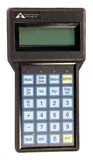
The user's manual for the QTERM-II, a data-entry terminal for industrial applications, covering all its versions: handheld, battery back and panel-mount. It gives a quick start with Power-On Setup and the QDEMO program, a full listing of the software commands, how to configure the terminal and its key strings with the QDATA file and QSETUP, and the hardware: EIA-232, EIA-422 and 5-volt buffered interfaces, display, keypad, digital outputs, bar code option and specifications.
Its parts
- Quick Start
- QTERM-II Software
- Using The QDATA File
- QTERM-II Hardware
From the manual
Key facts from this manual
Each line names its page in the PDF.
The QTERM-II User's Manual, revision 14 (updated 29 March 2011), published by Beijer Electronics and written for version 3.0 of the terminal's operation code. It covers the handheld, battery-back and panel-mount versions of this industrial data-entry terminal: power-on setup, wiring, the QDATA configuration file and QSETUP loader, hardware options and specifications.
- Device
- Data-entry terminal for industrial applications, in handheld, battery-back and panel-mount versions p. 5, 29, 30
- Display
- 4-line by 20-character supertwist; lighted and wide-temperature display options p. 32
- Keypad
- 24-key or 40-key, lower-left key is shift; 4 (24-key) or 5 (40-key) user-programmable LEDs p. 32
- Interfaces
- EIA-232 (about 15 meters at 9600 baud), EIA-422 (about 1000 meters) or 5-volt Buffered (about 5 meters) p. 32
- Baud rates
- 9600, 4800, 2400, 1200, 600, 300, 150; data formats 8n1 through 7o2 p. 10
- Connectors
- Handheld: 6-pin modular or optional DB9 female; panel-mount: 2-mm terminal strip on the PC board p. 29, 30
- Power
- 4.8 to 5.5 volt regulated SELV DC; 5.5 to 24 volt with the regulator option; 5 Ampere current limit p. 33
- Battery back
- Six AA alkaline batteries, power-supply board with on/off switch p. 29, 30
- Temperature
- -40 to 85°C except display; standard/lighted display -10 to 60°C, wide-temperature display -20 to 70°C p. 34
- Housing
- Black impact-resistant ABS; not waterproof, takes moderate rain or splash p. 29
- Bar code option
- Extra DB9 (handheld) or 6-pin 2 mm (panel-mount) port, 1200 baud 8n1; mates with HP SmartWand p. 33
- Digital outputs
- dig0 and dig1, 74HC outputs, sink or source about 20 mA; not on EIA-422 units p. 33
- Software
- Operation code version 3.0; QSETUP.EXE loads QDATA files and QCODE.V30; QDEMO demo program p. 5, 10, 23, 24
- QDATA storage
- About 1000 bytes; default QDATA files use about 270 bytes p. 24
What this manual walks you through
- Setting display contrast, baud rate and data format with Power-On Setup p. 9
- Connecting the host communications lines and DC power by pin assignment p. 9, 10
- Running the QDEMO program on a PC p. 10
- Loading a QDATA configuration file with QSETUP p. 23, 24
- Reloading corrupted operation code from the QCODE file p. 24
- Retrieving a QDATA file from the terminal p. 24
- Mounting the old and new panel-mount versions p. 30, 31, 32
- Installing an EIA-422 line termination resistor p. 32
- Write-protecting the EEPROM with the disable jumper p. 34
- Adding another PC board inside a handheld or battery-back case p. 34
Good to know
- Power must come from an SELV source with a 5 Ampere current limit. p. 10
- EIA-422 and 5-volt Buffered units cannot connect directly to a PC COM port; an interface unit such as the QCOM-2 is needed. p. 10
- Never delete, edit or reorder the identifiers in a QDATA file. p. 24
- Mixing QDATA, QSETUP and terminal code versions will probably corrupt the operational code. p. 24
- Do not try to remove the PC board from the case. p. 32
Questions this manual answers
What power supply does the QTERM-II need?
A 4.8 to 5.5 volt regulated SELV DC source, or 5.5 to 24 volts with the optional regulator. p. 33
How do I change the baud rate on a QTERM-II?
Hold down any key while applying power, then use the up, down and save keys to set contrast, baud rate and data format. p. 9
What batteries does the battery-back QTERM-II use?
Six AA size alkaline batteries. p. 29
What baud rate does QSETUP need?
The terminal must be set to 9600 baud, 8n1 with power-on setup; no other settings work with QSETUP. p. 23
Can a bar code wand connect to the QTERM-II?
Yes, with the bar code option; its port runs at 1200 baud 8n1 and the handheld DB9 mates with an HP SmartWand. p. 33
Contents
Chapters and sections
Each line opens the PDF at its page.
The whole text · 8 parts
Read the manual here as text
Its text as extracted from the PDF, unedited, in parts; each page opens the PDF at that page.
The file