Manual · Artec
Triskan TS8 User Manual
Manual25 pagesPDF 1.5 MB
User manual for the Artec Triskan TS8 professional mobile terminal: layout, SIM and battery, GPRS/WLAN, config.ini settings and safety.
Covers · 1 model
The models it covers
Summary
What is in it
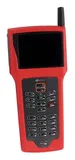
The user manual for the Artec Triskan TS8, a professional mobile terminal with a scan key, cell phone style keypad, GSM antenna, microSD slot and micro USB port. It covers safety, the device layout, inserting the SIM card and battery, switching on, charging, connecting by GPRS, WLAN or USB, display indicators and keypad locking. It explains how to personalise the device by editing the config.ini file over USB (GSM, server, power, user and WLAN settings), then battery care, maintenance, certification and software licensing.
Its parts
- Safety Precautions
- Get Started
- Personalise your device
- Battery and charging information
- Care and maintenance
- Additional safety precautions
- Certification Information
- Licensing
From the manual
Key facts from this manual
Each line names its page in the PDF.
The Triskan TS8 User Manual, revision A04 of January 25, 2010, from Artec Group. It covers the key layout, SIM card and battery, charging, connectivity, the menu bar, keypad locking and text entry, and the config.ini settings for GPRS, server, power, keypad and WLAN. It also gives battery, care and safety information and the software licensing terms.
- Device
- Professional mobile terminal with scan key, cell phone style keypad and GPRS or WLAN connection to an application server p. 3, 7, 8
- Keys
- Scan key (also power on), function keys F1-F5 and F6-F10 with shift, arrow, delete, OK, shift and menu keys p. 5
- Connectivity
- GPRS network or WLAN network; USB data cable to PCs, also for charging p. 7
- Ports
- Micro USB connector for data transfer and charging; microSD memory card socket; wrist strap p. 5
- Battery
- Rechargeable battery unit TS8-B201 p. 11
- Power supply
- Wall-mount TS8-PR01 (original type CUI EPS050100UE-P13P-SZ); plug variants R0 Europe, R1 UK, R2 USA p. 11
- Antenna
- External GSM antenna p. 6
- Charge lights
- Red and orange while charging, green when full p. 5
- Backlight
- Light sensor controls the keyboard backlight; keypad backlight turns on only in a dark room p. 5, 10
- Configuration
- Settings live in config.ini, edited from a host computer over USB, where the device appears as a removable disc p. 8
- WLAN security
- None, WEP, WPAPSK (WPA + TKIP) or WPA2PSK (WPA2 + AES); DHCP or static IP (>=04D) p. 10
- Power defaults
- Display dims after 10 s and switches off after 20 s; stand-by with GPRS disconnected after 30 s; full shutdown after 3600 s p. 9
- Server link
- Connects to an application server over TCP/IP using the PL protocol; default port=4661 p. 9
- Software license
- GNU GPLv2 and LGPLv2.1 components; source code offered for three years after last shipment for 10€ p. 16
What this manual walks you through
- Inserting the SIM card and battery p. 6
- Charging from a wall outlet or by USB p. 6
- Saving battery power p. 7
- Reading the menu bar indicators p. 7, 8
- Locking and unlocking the keypad p. 8
- Entering text with the multi-tap keypad p. 8
- Editing the configuration file over USB p. 8
- Setting GPRS, server, power, keypad and WLAN options p. 9, 10
- Handling and charging the battery safely p. 11
- Care and maintenance, including a wet device p. 12
Good to know
- The device is not water-resistant; keep it dry. p. 4
- Replace the GSM antenna only with antennas approved for the device. p. 7
- Do not leave a fully charged battery on the wall-mount power supply; overcharging may shorten its life. p. 11
- Keep the battery between 15 and 25 C (59 and 77 F); extreme temperatures reduce its capacity and lifetime. p. 11
- Only qualified personnel may install or repair the device. p. 4
Questions this manual answers
What battery and charger does the Triskan TS8 use?
Battery unit TS8-B201, charged with the TS8-PR01 wall-mount power supply. p. 11
How do I unlock the Triskan TS8 keypad?
Press SHIFT + OK, unless an unlock PIN has been set in the configuration file. p. 8, 10
Triskan TS8 battery will not start charging
A new or long-unused battery may need the charger connected, disconnected and reconnected. A fully discharged battery can take several minutes before the indicator appears. p. 11
How do I change settings on the Triskan TS8?
With the device off, connect it to a host computer by USB; it appears as a removable disc holding config.ini, which support personnel edit and save. p. 8
Which plug does the Triskan TS8 charger have?
The power supply model number varies with the plug: R0 for Europe, R1 for the UK and R2 for the USA. p. 11
The whole text · 3 parts
Read the manual here as text
Its text as extracted from the PDF, unedited, in parts; each page opens the PDF at that page.
The file