Manual · American Dynamics
Fixed Color Cameras ADCA330CN, ADCA330CP, ADCA470CAFN, ADCA470CAFP Installation Manual
Manual12 pagesPDF 266 KB
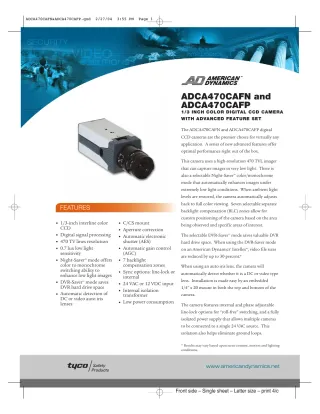
Installation manual for American Dynamics ADCA470 and ADCA330 fixed color CCD security cameras, including the ADCA470CAFN.
Covers · 1 model
The models it covers
Summary
What is in it
The installation manual for the American Dynamics ADCA470 and ADCA330 series fixed color cameras (ADCA330CN, ADCA330CP, ADCA470CAFN and ADCA470CAFP). It covers safety and regulatory notices, power and video connections, the rear panel layout, and the dip switch features: Night-Saver and DVR-Saver modes, backlight compensation, gain control, electronic shutter, line lock and white balance. It then explains lens selection, back focus, fitting fixed, manual and auto-iris lenses, mounting, dimensions and specifications.
From the manual · read page by page
Key facts from this manual
Some pages are scans or cannot be read; this says only what the readable text supports. Each line names its page in the PDF.
Installation manual for the American Dynamics fixed color cameras ADCA330CN, ADCA330CP, ADCA470CAFN and ADCA470CAFP, 1/3-inch CCD cameras for 24V AC or 12V DC. It explains power and video connections, the rear dip switches, fitting lenses and setting back focus, and mounting, and ends with specifications. The ADCA470 models add Night-Saver, DVR-Saver and seven backlight compensation windows.
- Device
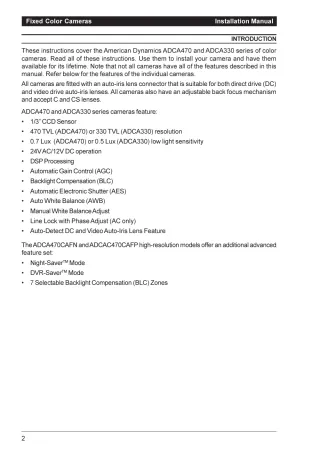
- Fixed color camera with 1/3-inch CCD sensor and digital signal processing p. 2
- Resolution
- ADCA470: 470 TVL, 0.7 lux at F1.2; ADCA330: 330 TVL, 0.5 lux at F1.2 p. 2, 11
- Picture elements
- ADCA470CAFN: 768(H) x 494(V); ADCA470CAFP: 752(H) x 582(V); ADCA330CN: 510(H) x 492(V); ADCA330CP: 500(H) x 582(V) p. 11
- Power
- 12V DC or 24V AC (60Hz on NTSC models, 50Hz on PAL models) from a UL Listed, Class 2 isolated supply; less than 4.2 watts p. 4, 11
- Advanced features
- ADCA470 series only: Night-Saver mode, DVR-Saver mode, 7 selectable BLC zones p. 2, 5
- Night-Saver
- ADCA470 series: switches from color to monochrome in low light, typically at about 2.0 lux p. 5
- Lenses
- C or CS mount, fixed, manual, video drive or DC auto-iris; 1/3, 1/2, 2/3 and 1 inch; factory set for CS mount p. 7
- Auto-iris connector
- 4-pin square socket on the side; DC lenses up to 25mA, video drive lenses up to 50mA p. 9
- Video output
- 1V pk-pk, 75 ohms, on the BNC socket marked VIDEO OUT p. 4, 11
- White balance
- Auto tracing 2500K to 9500K, or manual with red and blue push button adjustment p. 11
- Iris control range
- NTSC models 1/60 - 1/100,000 second; PAL models 1/50 - 1/100,000 p. 11
- Operating temperature
- -10°C to 50°C (14°F to 122°F) p. 11
- Camera mount
- 2 x 1/4 inch 20 UNC threaded points, top and bottom p. 11
- Weight
- 0.77 lbs (0.35 Kg) without lens p. 11
What this manual walks you through
- Connecting power and video p. 4
- Turning on Night-Saver mode p. 5
- Using DVR-Saver to cut recorder storage p. 5
- Selecting backlight compensation windows p. 5, 6
- Setting AGC and AES p. 6, 7
- Choosing line lock or internal sync and adjusting phase p. 7
- Setting white balance manually p. 7
- Adjusting back focus p. 8
- Installing fixed and manual iris lenses p. 8
- Installing DC and video drive auto-iris lenses p. 9
Good to know
- Power the camera only from a UL Listed, Class 2 isolated power supply. p. 3
- Long exposure to very bright light may damage the CCD; never touch the sensor, and clean it only with isopropanol. p. 3
- Use only in clean, dry, dust-free places; outdoors it needs a housing to IP65 or UL50 or better. p. 3
- With DVR-Saver on, the image may look softer and low light sensitivity may drop slightly. p. 5
- AES must be OFF with video drive or DC auto-iris lenses. p. 7
Questions this manual answers
How do I turn on Night-Saver on the ADCA470CAFN?
Set the NITE SVR dip switch on the back panel to ON. The camera then turns monochrome in low light, typically at about 2.0 lux; OFF keeps it in color. p. 5
How do I fit a C mount lens on an ADCA470CAFN camera?
The cameras are factory set for CS mount lenses. For a C mount lens, rotate the back focus adjustment fully counterclockwise, viewed from the front, before fitting the lens. p. 7
Should AES be on or off with an auto-iris lens?
Off. AES must be OFF with video drive or DC auto-iris lenses and ON with a fixed or manual iris lens. p. 7
When should the camera use line lock?
On AC power, set the SYNC dip switch to LL so cameras lock to the mains frequency. Use INT with DC power or a noisy AC supply. p. 7
What is the difference between the ADCA470 and ADCA330 cameras?
The ADCA470 models give 470 TVL and 0.7 lux and add Night-Saver, DVR-Saver and 7 BLC zones; the ADCA330 models give 330 TVL and 0.5 lux. p. 2
The whole text · 2 parts
Read the manual here as text
Its text as extracted from the PDF, unedited, in parts; each page opens the PDF at that page.
The file