Manual · Adesso
Barcode Scanner Model no. NuScan 5000 User's Manual
Manual26 pagesPDF 563 KB
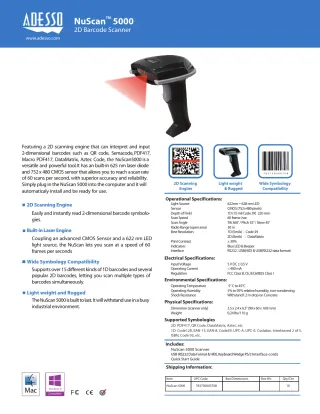
User's manual for the NuScan 5000 2D barcode scanner: USB installation, operation and programming bar codes for its settings.
Covers · 1 model
The models it covers
Summary
What is in it
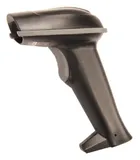
Short user's manual for the NuScan 5000 barcode scanner, which uses a 2D engine. It explains installing the scanner on a PC's USB port, resetting to factory defaults, scanning technique and cleaning, then gives the programming bar codes for trigger and auto-sensing modes, sensor sensitivity, USB country keyboard types, turning 1D and 2D symbologies on and off, symbology setup and termination strings.
Its parts
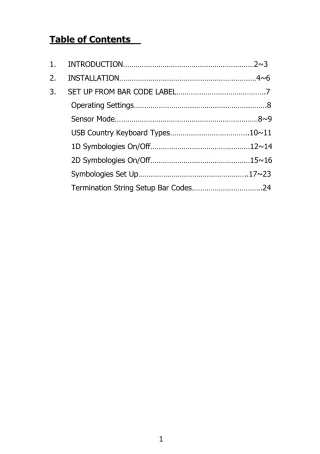
- Introduction
- Installation
- Set Up from Bar Code Label
From the manual · read page by page
Key facts from this manual
Each line names its page in the PDF.
The user's manual for the NuScan 5000 2D barcode scanner. It covers connecting the scanner by USB, resetting it to factory defaults, and the programming barcodes for trigger and sensor modes, keyboard country, turning each 1D and 2D symbology on or off, check digits, addenda and the end-of-line character.
- Device
- Barcode scanner with a 2D engine p. 5
- Connection
- USB cable (USB HID) to the PC p. 6
- Setup method
- Settings made by scanning programming barcodes; kept in non-volatile RAM when power is off p. 5
- Indicators
- Blue LED flashes and one beep on a good decode p. 5
- Scan modes
- Trigger mode (default) or auto-sensing p. 6, 10
- Sensor sensitivity
- Enhanced (= 5), High (= 8), Normal (= 11) or Low (= 14) p. 10
- 1D symbologies
- Code 39, Code 93, Code 128, Codabar, Interleaved 25, UPC-A, UPC-E, EAN-8, EAN-13, EAN-128, Industrial 25, Matrix 25, MSI Plessy, Code 11, ISBN, UCC/EAN Composite p. 14, 15, 16
- 2D symbologies
- Data Matrix, QR Code, Aztec, PDF 417 p. 17, 18
- Keyboard countries
- USB keyboard layouts for 28 countries and languages, including U.S., U.K, Canada (French), Germany/Austria and Japan p. 12
- Termination
- Termination character CR set by a three-step barcode sequence p. 26
What this manual walks you through
- Connecting the scanner to a PC by USB and making the first scan p. 6
- Resetting the scanner to factory defaults p. 7
- Cleaning the scan window p. 8
- Choosing trigger or auto-sensing mode and the sensor sensitivity p. 10
- Allowing or blocking all 1D or all 2D symbologies at once p. 11
- Setting the USB keyboard country p. 12, 13
- Turning each 1D and 2D symbology on or off p. 14, 15, 16, 17, 18
- Check digit and transmit options for UPC/EAN, ISBN, Interleaved 25, Code 39, Codabar, Code 93, MSI and Code 11 p. 19, 20, 21, 22, 23
- UPC/EAN addenda codes and expanding EAN-8 to EAN-13 p. 24, 25
- Setting the termination string p. 26
Good to know
- Do not hold the scanner straight over a barcode at 90 degrees: the reflection creates a dead zone. p. 8
- Do not spray water or cleaning liquids directly onto the window. p. 8
- After reading the digit codes for a setting, the Save barcode must be read. p. 13
- Prohibit Reading All leaves the scanner reading programming codes only. p. 11
Questions this manual answers
How do I reset the Adesso NuScan 5000 to factory defaults?
Scan the Code Programming ON, Load Factory Default and Code Programming OFF barcodes in the manual's reset section. p. 7
How do I change the NuScan 5000 keyboard language?
Scan Code Programming ON, Select Country Code, the digits of the country number, Save, then Code Programming OFF. p. 12
What does the beep on the NuScan 5000 mean?
One beep with a blink of the blue LED means a barcode was decoded. p. 5
How do I clean the NuScan 5000 scanner window?
Wipe it gently with lens tissue or other material for optics; never spray liquid directly on it. p. 8
The whole text · 3 parts
Read the manual here as text
Its text as extracted from the PDF, unedited, in parts; each page opens the PDF at that page.
The file