Manual · Acroprint
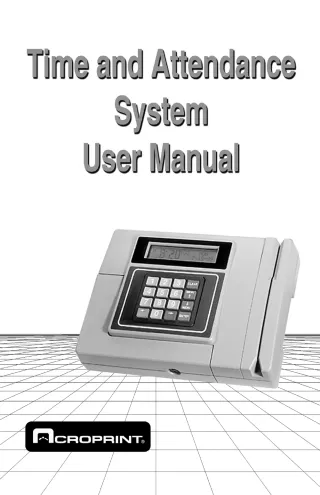
Time and Attendance System User Manual
Manual56 pagesPDF 1.5 MB
User manual for the Acroprint Time and Attendance System, a badge-swipe time clock terminal with PC software for small business payroll.
Filed with · 1 model
Also filed with these models on the old site
Summary
What is in it
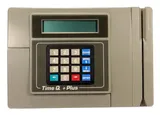
Acroprint's user manual for its Time and Attendance System, a microprocessor time clock terminal that records employee arrivals and departures with magnetically encoded badges. It covers system requirements and punch capacity, installing the Windows PC software, mounting and wiring the terminal to a PC or printer, clock and shift rules, entering employees, supervisor badges, editing punches, reports, archiving and exporting, the bell schedule and programming the terminal without software.
Its parts
- Introduction
- Installing Time & Attendance PC software
- Terminal installation
- Setup
- Shift rules
- Entering employees into system
- Supervisor's badges
- Editing punches
- Reports
- Save to disk, archiving, & exporting
- Bell schedule
- Programming terminal without software
From the manual
Key facts from this manual
Each line names its page in the PDF.
Acroprint's Time and Attendance System User Manual, for a badge-swipe time clock terminal and its Windows PC interface software. The pages read do not print a model name. It covers capacity, site needs, installation, PC and printer connections, terminal self-tests, error messages at the PC and terminal, and companion products.
- Device
- Microprocessor time clock using magnetically encoded badges, for small businesses p. 5
- Capacity
- Up to 120 employees; over 21,000 punches; at most 240 punches per employee per pay period p. 6
- Pay periods
- Weekly, Biweekly, Semi-Monthly and Monthly; holds two pay periods of data p. 5, 7
- Badges
- Magnetic, ABA track 2, four significant digits; range 0001 to 9999; up to 10 supervisors p. 51
- Power
- 120VAC 60 Hz through a wall mount transformer; power cord approximately 6' p. 7, 13
- PC connection
- RS-232 port with RJ-11 modular connector; 50' cable and 9-pin adaptor supplied; default 9600 baud p. 11, 12, 13
- Printer connection
- Parallel printer cable with 25-pin (terminal) and 36-pin Centronics (printer) ends; serial printer cable from Acroprint p. 12
- PC requirements
- Pentium or higher, 4 MB RAM, Windows 95, 98, 2000 or NT, 1 MB disk, 3.5" floppy drive, a serial port p. 6
- Operating environment
- 0-50°C (32-122°F); 0-90% RH p. 7
- In the box
- Terminal, power cable, 2 supervisor badges, employee badges, 4 screws, Time & Attendance software, 50' modular cable, DB9 connector, user manual p. 8
- Accessories
- 40 pocket badge rack 81-0117-000; 2 - 12 pocket badge racks 81-0116-003; 10 head cleaning badges 14-0111-002 p. 55
- External buzzer
- 01-0122-000, 85 dB @ 1', powered by the terminal; signal times set in the PC software p. 55
- Battery back-up (UPS)
- 74-0105-000; runs the terminal without AC power for up to six hours; terminal only p. 55
- Self-tests
- Badge reader, display, keyboard, audio, printer and bell, from the Supervisor's badge menu p. 39
What this manual walks you through
- Site requirements and conditions to avoid p. 7
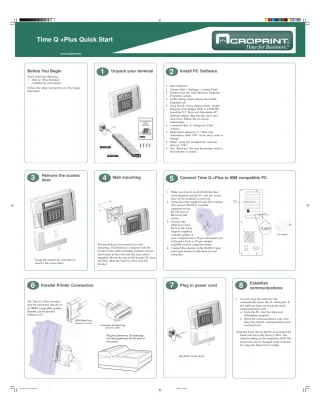
- Desk or wall mounting with the reversible bracket p. 11
- Connecting the terminal to a PC serial port p. 11, 12
- Connecting a parallel or serial printer for stand-alone reports p. 12
- Setting up communications and matching baud rates p. 13
- Running the terminal self-tests p. 39
- Error messages at the PC and their causes p. 40, 41, 42
- Finding and fixing COM port IRQ conflicts p. 42, 43
- Error messages at the terminal and their causes p. 44, 45, 46, 47, 48
- Handling a missed out punch p. 50
Good to know
- Employees cannot punch in on a third pay period until the previous Hours Summary report for all employees is printed; the data is then deleted for good. p. 7
- Do not use the terminal in extreme temperature or humidity, high dust, chemical fumes, or extreme vibration. p. 7
- The communications cable should not exceed the recommended length, be coiled, or run near electromagnetic noise. p. 42
- The battery back-up (UPS) is for the terminal only, not the PC. p. 55
- The bell schedule can be set only from the PC Interface Program. p. 39
Questions this manual answers
What does LOCKED OUT REPORT OLD DATA 1ST mean on an Acroprint time clock?
The pay periods must roll over; print the previous pay period's Hours Summary report so employees can clock in. p. 47
How many employees does the Acroprint Time and Attendance System handle?
Up to 120 employees, with storage for over 21,000 punches. p. 6
Can I use my existing employee badges with the Acroprint time clock?
If they are magnetic ABA track 2 badges with four significant digits; the terminal reads only the last four digits. p. 51
What should I check when the clock terminal is not responding to the PC?
Connections and power, matching baud rates, cable length and routing, a slower baud rate, and COM port IRQ conflicts. p. 42
What does DATA MAY BE CORRUPT PRESS A KEY mean?
A power failure happened while writing to the database; print all reports if possible and reinitialize if required. p. 47
The whole text · 6 parts
Read the manual here as text
Its text as extracted from the PDF, unedited, in parts; each page opens the PDF at that page.
The file